

Week plan & app
Set the active week, invite the patient, and use adherence and notes at the next visit.
From week plan to the patient app
Plan the therapy week
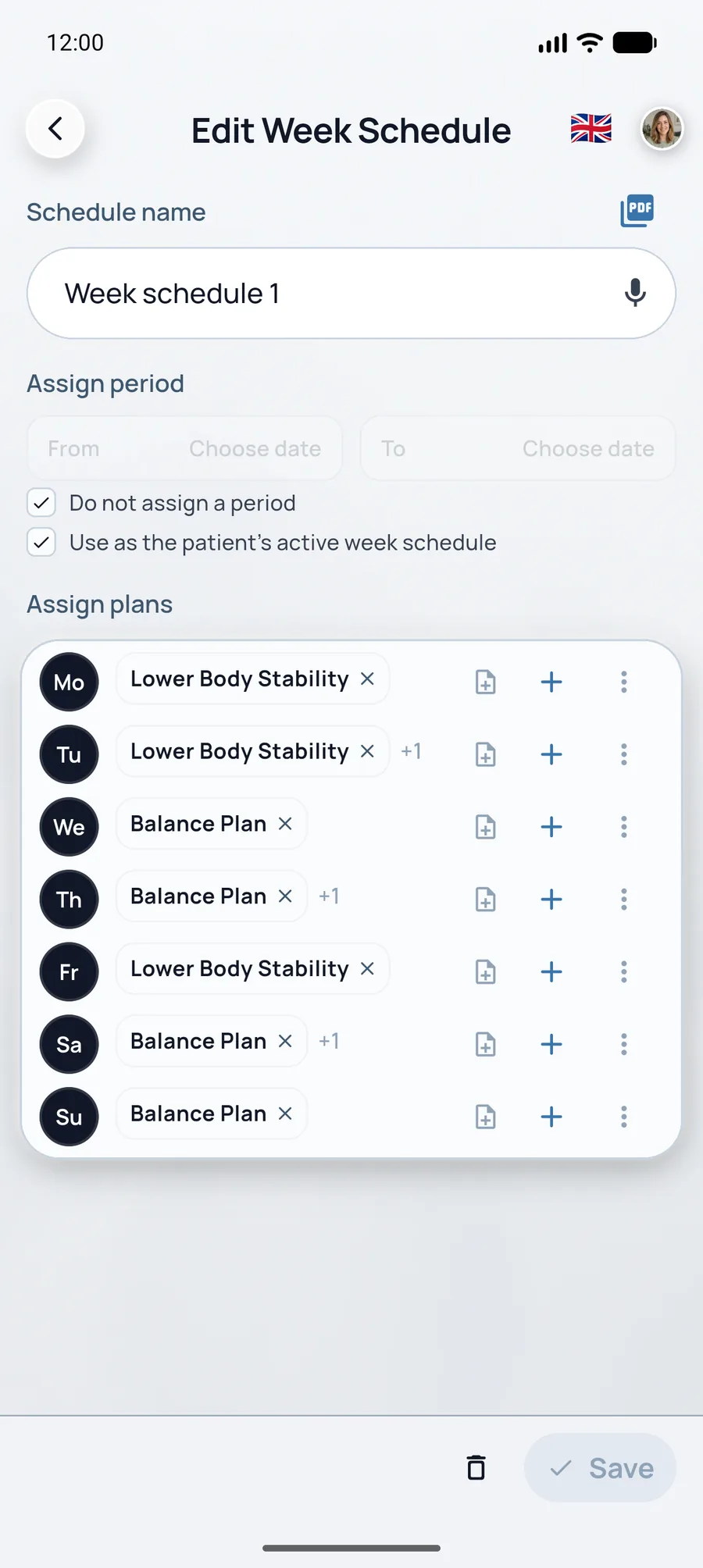
Open the patient and the Week Schedule tab. Week scheduling is included on Starter, Praxis, and Enterprise.
- Drag saved plans onto weekdays. Empty days stay free. The empty state reads: create a plan, then drag it onto a day.
- Turn on Use as the patient's active week schedule. Only the Active schedule appears in the patient app. Switching asks you to confirm. You cannot delete the active schedule until another one is active.
- Set Assign period with From and To. A start without an end shows as Ongoing. To cannot fall before From.
- Day note on a day is a short note for the patient (240 characters). It stays a draft until you save. Clearing a day’s plans asks first.
- Email weekly plan as PDF sends the last saved schedule. The patient needs an email on the record.
The list shows newest periods first. Name, period, and day notes share one discard dialog if you leave with unsaved edits.
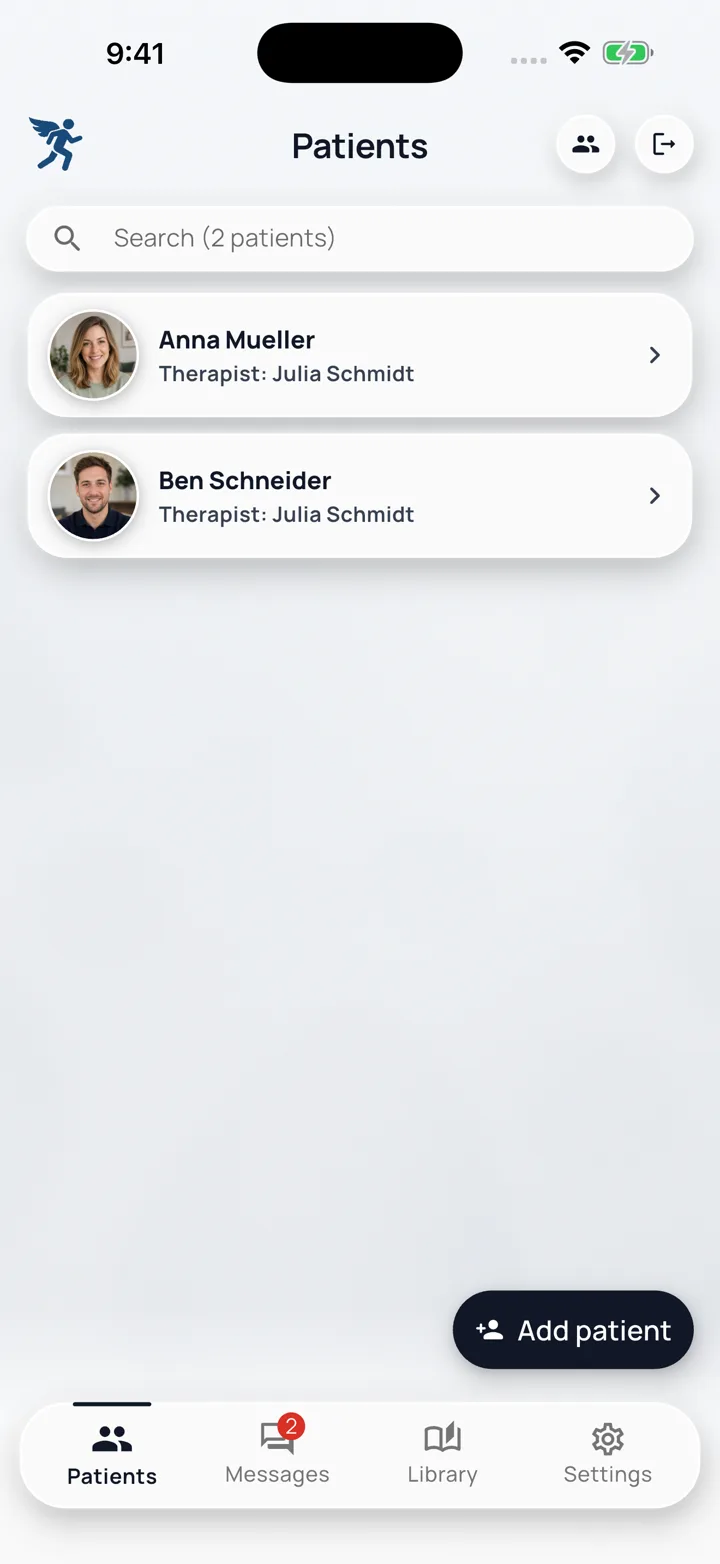
Invite the patient to the app
Under Patients → Add patient, enter Email (for login). RehabPilot sends the invite with the record. Later, check or update the address under Patient Info. They install the free app, sign in, and see the active week.



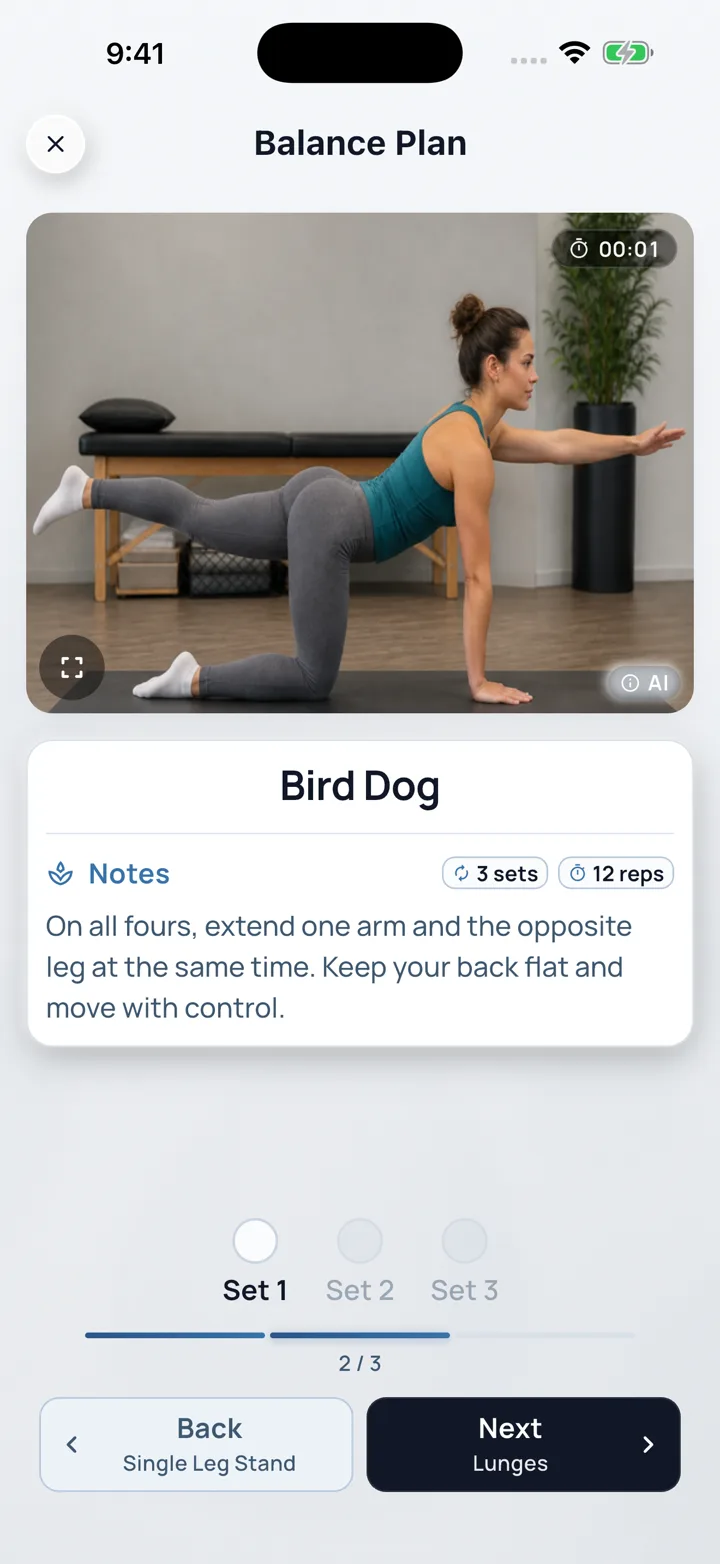
What the patient sees in the app
Free patient app. No per-patient fee. Tabs: Today, My Plan, Calendar, Exercises, Profile.
-
Today
Assigned work for this day, or Recovery day (“Nothing scheduled — take it easy.”) when the week leaves the day empty.
-
Workout
Clinic photo or video, set buttons, and Next / Back.
-
Dosage
The editor values: sets plus repetitions, seconds, or minutes.
-
My Plan
Assigned plans and completions. Create your own plan lets the patient build and rename a plan.
-
Calendar
What was done on each day. This is not a clinic appointment book.
-
Reminders
Profile holds the push switch. It opens system settings when the OS has notifications off. With push on, the app schedules one local reminder at 08:00 for the next day within 7 days that has plans. Today is skipped when that workout is already done, or when 08:00 has passed. No extra fee.
-
Messages
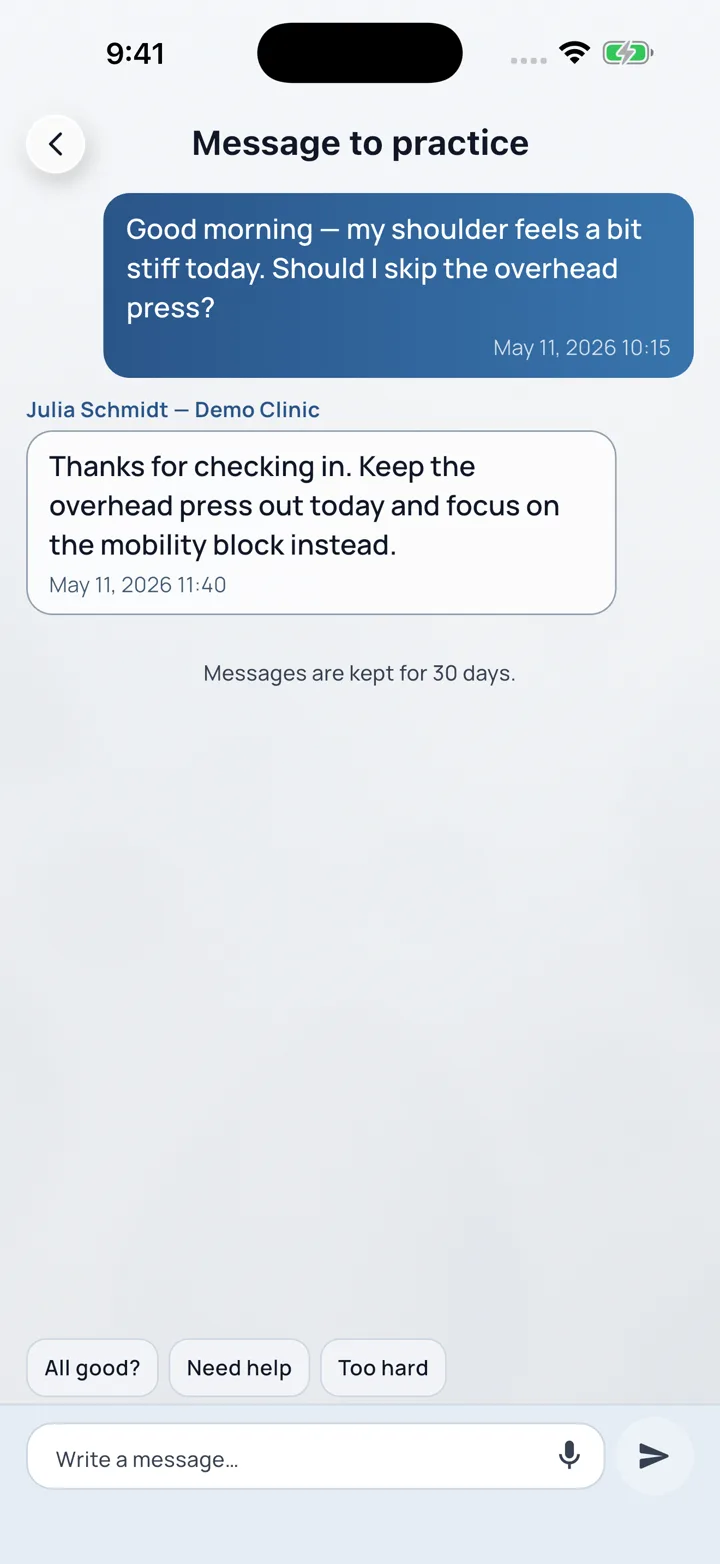
Message to practice. Included on every plan. Sends wait offline and go out when the device is online. Messages are kept for 30 days.
-
Offline
Today and assigned plans stay available from the cache on the device.
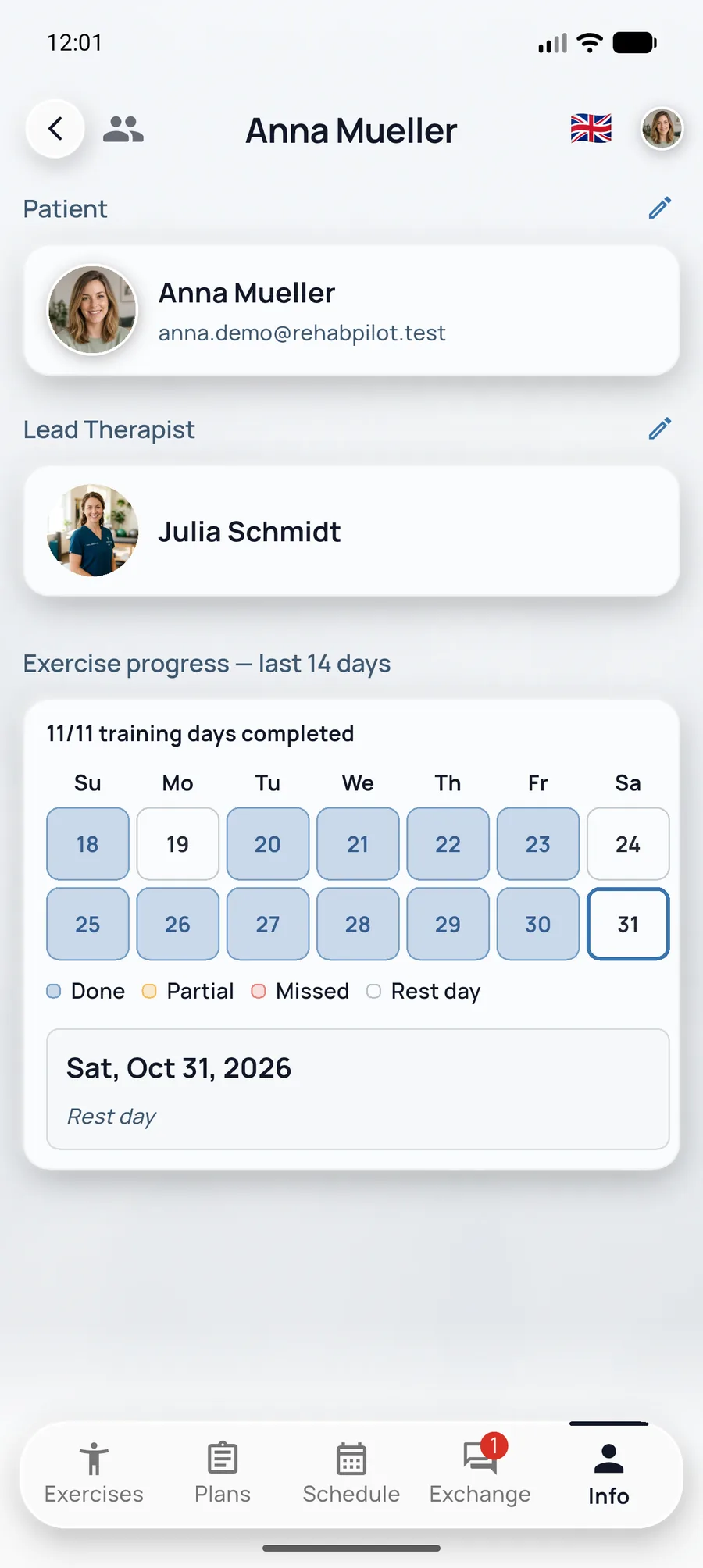
Review adherence
Under Patient Info the last 14 days show completions. Those completions stay visible if you later change the week. At the next visit, adjust dosage under Exercises, swap a plan, or update Week Schedule.
Exchange & notes
Two places, on purpose.
- Patient tab Exchange: write a Session note (hint: status, pain, progress, plan changes) and read Recent session notes. Patient messages for this person sit here too.
- Shell Messages: the clinic inbox, with an unread count, then the thread.
- Day note lives on Week Schedule, not in the chat.
The microphone on a session note, a day note, or a message runs on the device. It does not use the speech recognizer that types into exercise name and description. On a still, you can mark it up. On a video, pick a frame first, then mark that frame.
On Praxis and Enterprise, notes and plans are shared with the team.
Week plan & patient app FAQ
Week layouts, invites, and home-exercise adherence.
How do patients get their plan in the app?
When you add a patient with Email (for sign-in), RehabPilot sends the invite. After they install and sign in, the active week schedule appears automatically.
Can I lay plans out day by day?
Yes. Open the patient Week plan tab and drag plans onto weekdays. Leave days empty for rest.
Do reminders require an extra fee?
With the Profile push switch on, the patient app schedules a local reminder at 08:00 for the next day within 7 days that has plans. Today is skipped when that workout is already done, or when 08:00 has passed. There is no extra charge.
Can I change the weekly schedule after assigning it?
Yes. Update the week layout anytime; patients see the revised days in the app on their next sync. Adherence stays visible on the patient record.