

Exercise plans
Add a patient, reuse the practice library, set dosage and media, then save a plan.
From patient to exercise plan
Add a patient
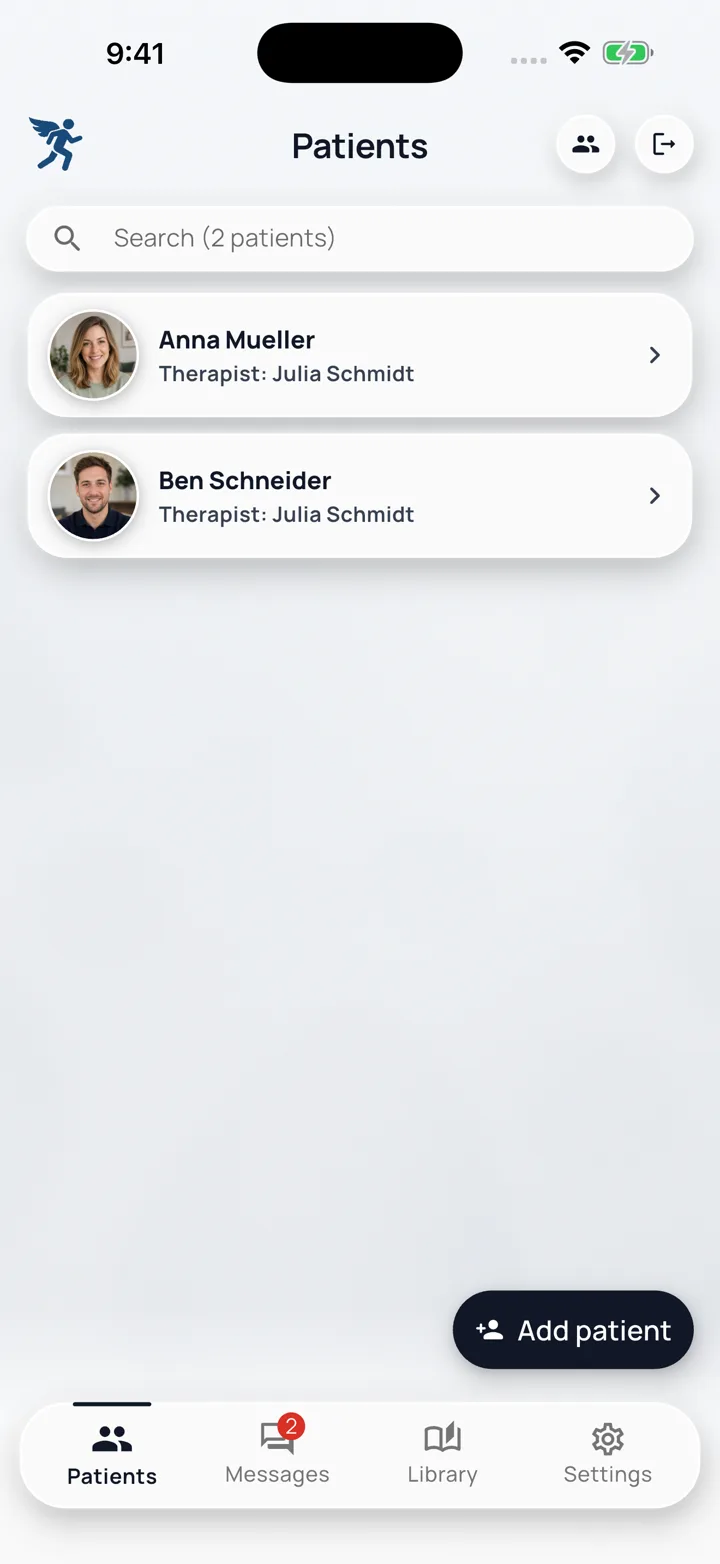
The clinic shell, after the PIN, has four destinations: Patients, Messages, Library, and Settings. On a phone they sit in the bottom bar. On a tablet they sit in the side rail. Library opens as its own screen.
- Open Patients.
- Tap Add patient.
- Save First name, Last name, and optional Email (for login). With an email, RehabPilot sends the patient-app invite when you create the record.
Practice library
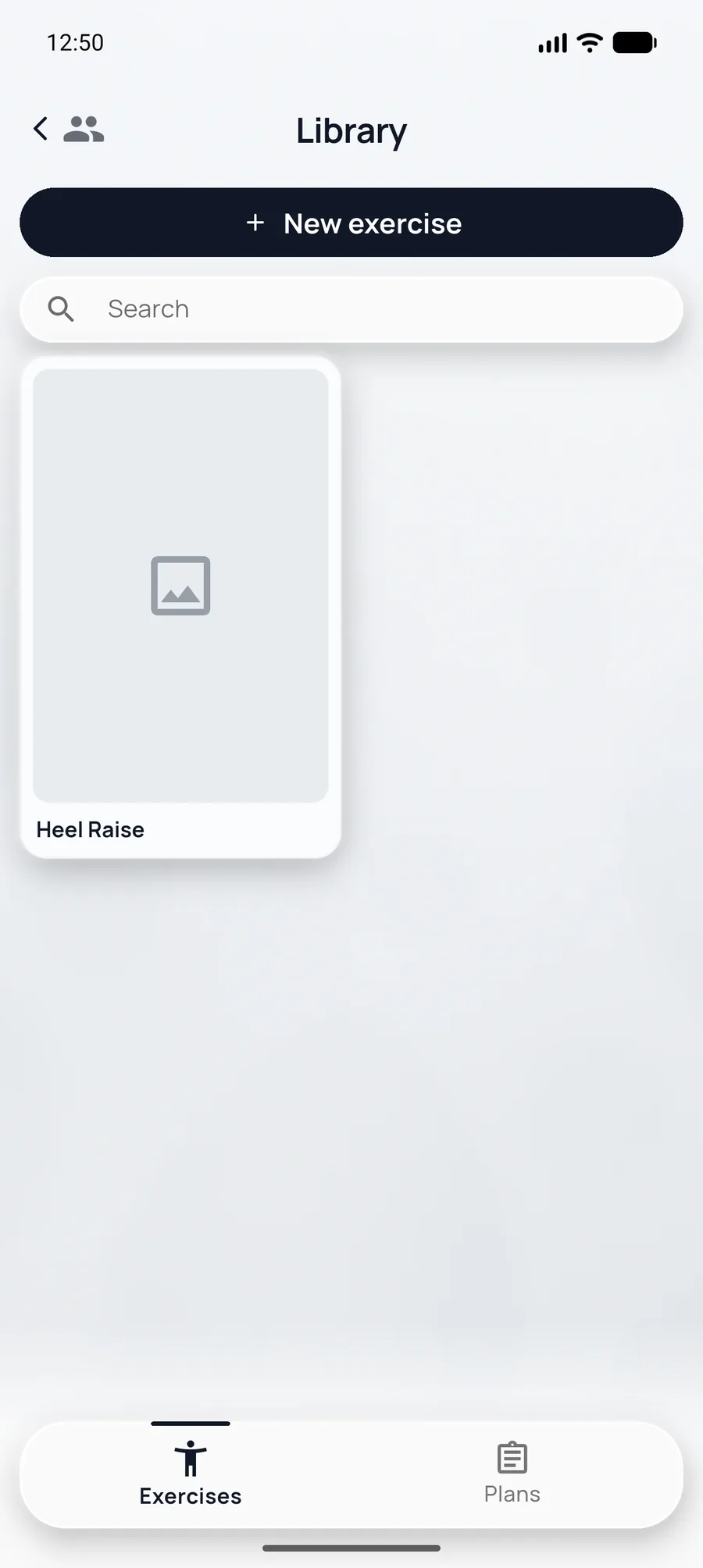
Open Library in the shell. It has the same two areas as a patient record: Exercises and Plans. Save an item once. Reuse it for any patient.
- On a patient, From library (or Choose from library) copies an exercise or plan onto that record.
- The other way: confirm Add to library?. A copy goes to the library. The patient’s item stays as it is.
Starter is one practitioner, so the library is that practice’s catalogue. Praxis and Enterprise use the same catalogue across the team.
Create an exercise
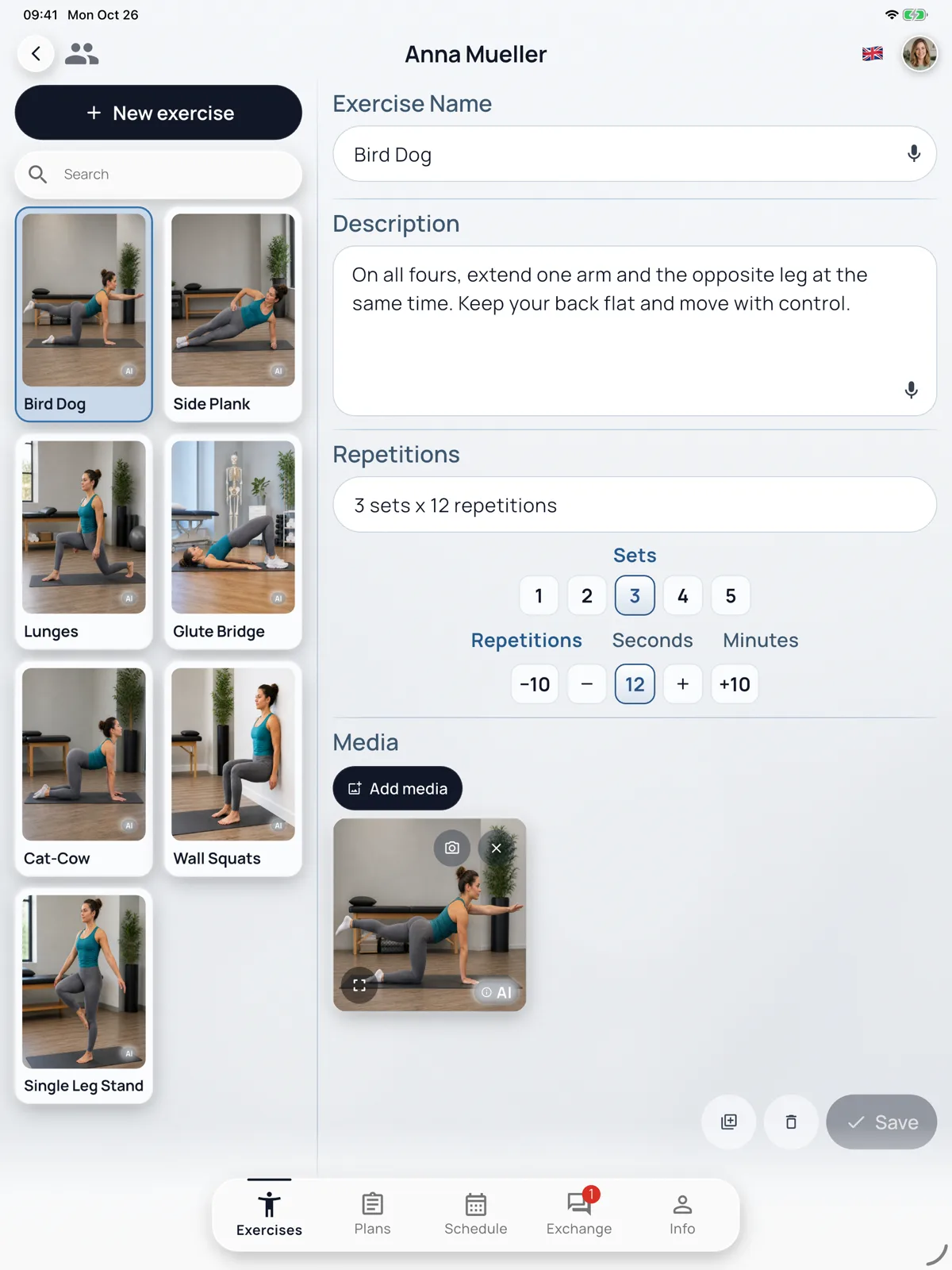
Open the patient. The record tabs are Exercises, Plans, Week Schedule, Exchange, and Patient Info. These are not the shell bar.
On Exercises, tap New exercise. Set the name, Description, and dosage, then Save. The microphone on the name and description uses the device speech recognizer. That is separate from on-device dictation for session notes, day notes, and messages (see Exchange & notes).
Photos and video
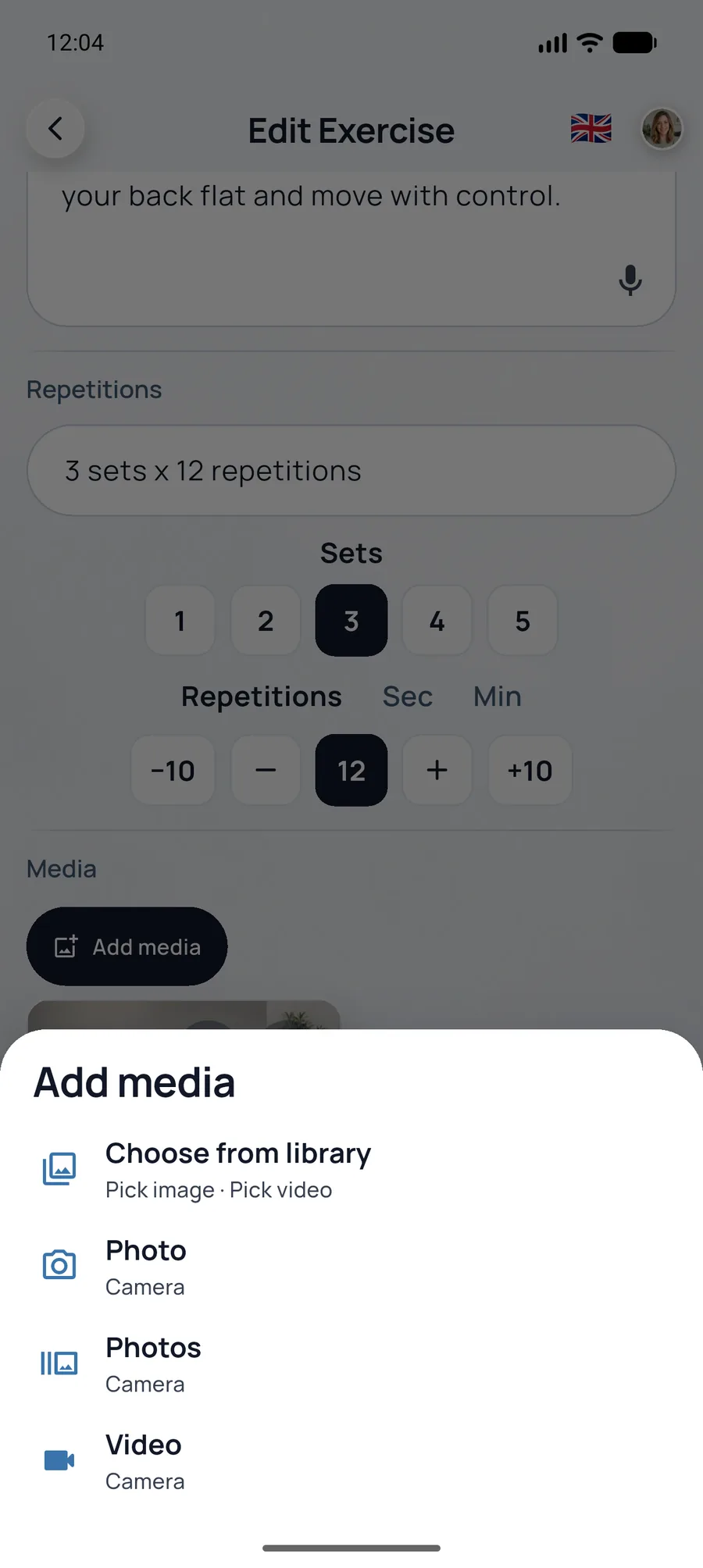
In the editor, Add media offers Camera or Photo library.
- Video in the app: front or back camera, pinch zoom and zoom steps, ultra-wide when the phone has that lens, flash, and a preview that shows the full sensor (no cover crop). Tap the review to play or pause.
- Stills: one photo or a short burst, then use or retake.
- Or pick a photo or video that is already on the device.
The gallery opens the same media for the clinic and, later, for the patient. The camera does not use tap-to-focus.
Fields in the exercise editor
Patients see the same dosage in the app.
| App field | Example |
|---|---|
| Sets | 3 |
| Repetitions | 12 |
| Seconds | Hold, shown as Sec on the compact control |
| Minutes | Shown as Min on the compact control |
| Description | Short cues for the patient |
| Add media | Camera or photo library |
Build a plan
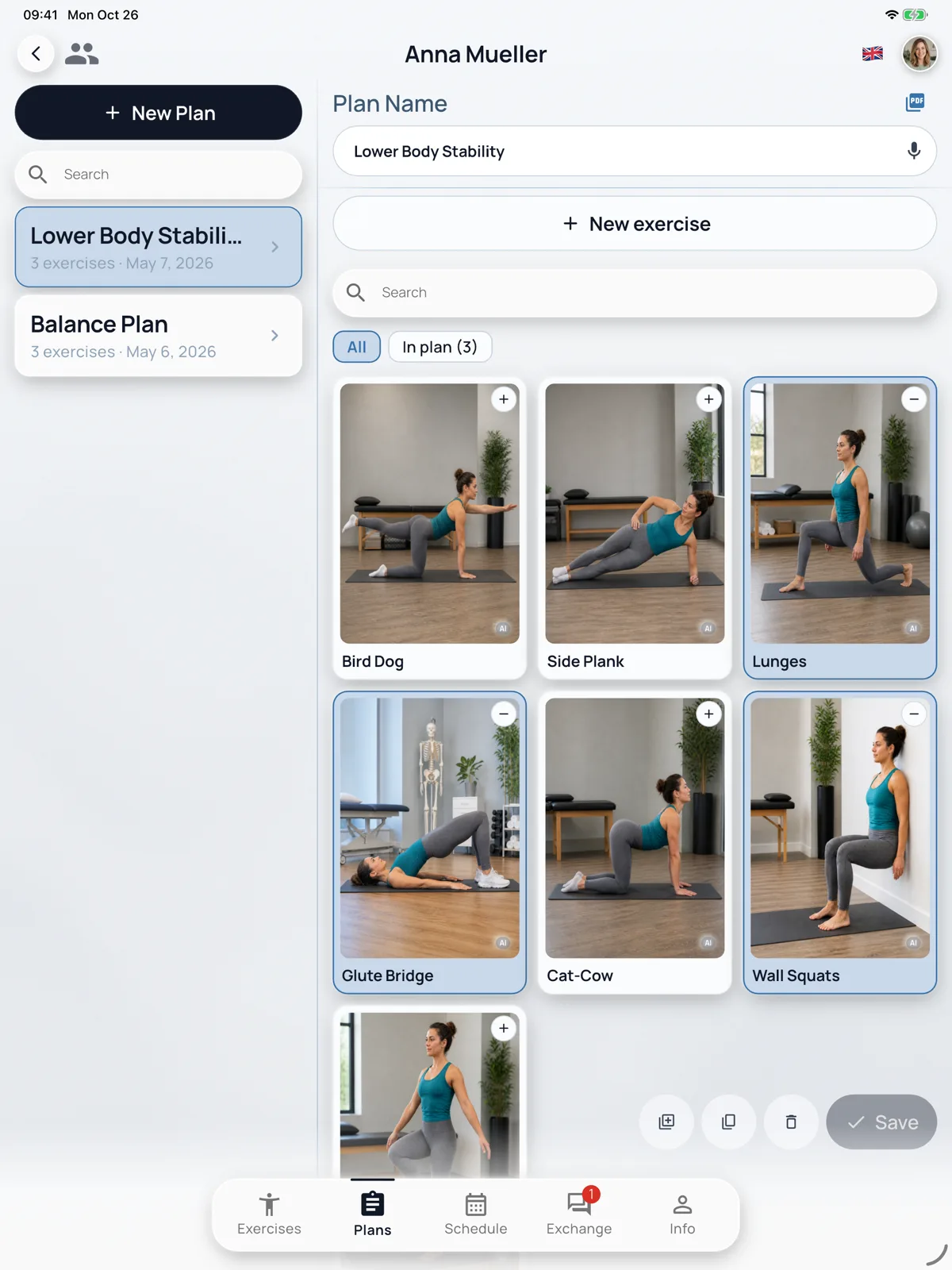
On the patient record, open Plans (not the shell bar) and tap New plan. Add exercises from search or tiles. Filters are All and In plan. Then Save.
- Duplicate plan (copy icon beside Save) keeps the same exercises. The name gains “ (copy)”.
- A new plan can include several New exercise rows in one pass. Each new exercise needs a title.
- The PDF control on the plan name emails the saved plan when the patient has an email.
- From library drops in a plan you already saved under Library.
Next: lay out the week under Week Schedule — Week plan & app.
Sharing on Praxis and Enterprise
On Praxis and Enterprise the exercise library and plans are shared across the practice, so a colleague can cover your patients from the same protocols. Starter is one seat: the library is still there, with no second therapist to share it with. Week scheduling is included on every plan.
Exercise plans FAQ
Quick answers while you build programs from your video library.
Can I record my own exercise videos?
Yes. Film with your phone — including the patient doing the movement — and attach video, photos, and cues to each exercise.
How do I duplicate a plan for a similar patient?
Open an existing plan and tap Duplicate plan (the copy icon beside Save). The copy keeps the same exercises. Then adjust repetitions, seconds, or minutes.
Is there a limit on patients or exercises?
No. Starter and Praxis include unlimited patients and exercises on your practitioner seats.
How do I assign a plan to a patient?
Open the patient record, then Plans, to build or pick a plan. Drag plans onto weekdays under Week Schedule and turn on Use as the patient's active week schedule. After the email invite, the patient sees that week in the app.